Kasa Apple HomeKit Smart Dimmer Switch KS220P3 (3-Pack): A Practical Upgrade for Your Lighting
As an Amazon Associate we earn from qualifying purchases made through links on this page — it doesn't affect what we score, or how. How this works
 Scored
If you're already in the Apple Home ecosystem, this is the easy call. The Kasa KS220P3 3-pack brings dimmable smart lighting into HomeKit without an extra hub, and at around $60 for three switches, the price holds up against buying dimmers one at a time. Native HomeKit support is the real selling point — it just works with the ecosystem you're already using. The catch is the install: this is a wiring job, not a plug-in fix. If you're ready to wire it in yourself or hire someone who can, it's a solid, budget-friendly way to upgrade several rooms in one purchase. If you're on Alexa or Google Home, skip it — the whole pitch evaporates outside Apple's ecosystem.
Pros
- Native HomeKit pairing simplifies setup for Apple-centric homes
- Buying three at once is a sensible way to tackle multiple rooms in one go
- Controls existing fixtures/bulbs — no need to replace bulbs with smart ones
- Retains physical switch functionality for non-phone users in the house
Cons
- Requires in-wall wiring, which adds installation friction compared to smart plugs or bulbs
- Locked into HomeKit — not a good match if your household also uses Alexa or Google Assistant devices
- Dimmer switches like this typically require compatible dimmable bulbs and proper neutral wire wiring, worth confirming before buying
Smart switches usually force a tradeoff: a clunky third-party app, or a hub you didn't ask for. Kasa's KS220P3 3-pack sidesteps both for Apple Home users — wire in three switches and control them straight from the Home app you're already using, no extra hardware required.
What It Is
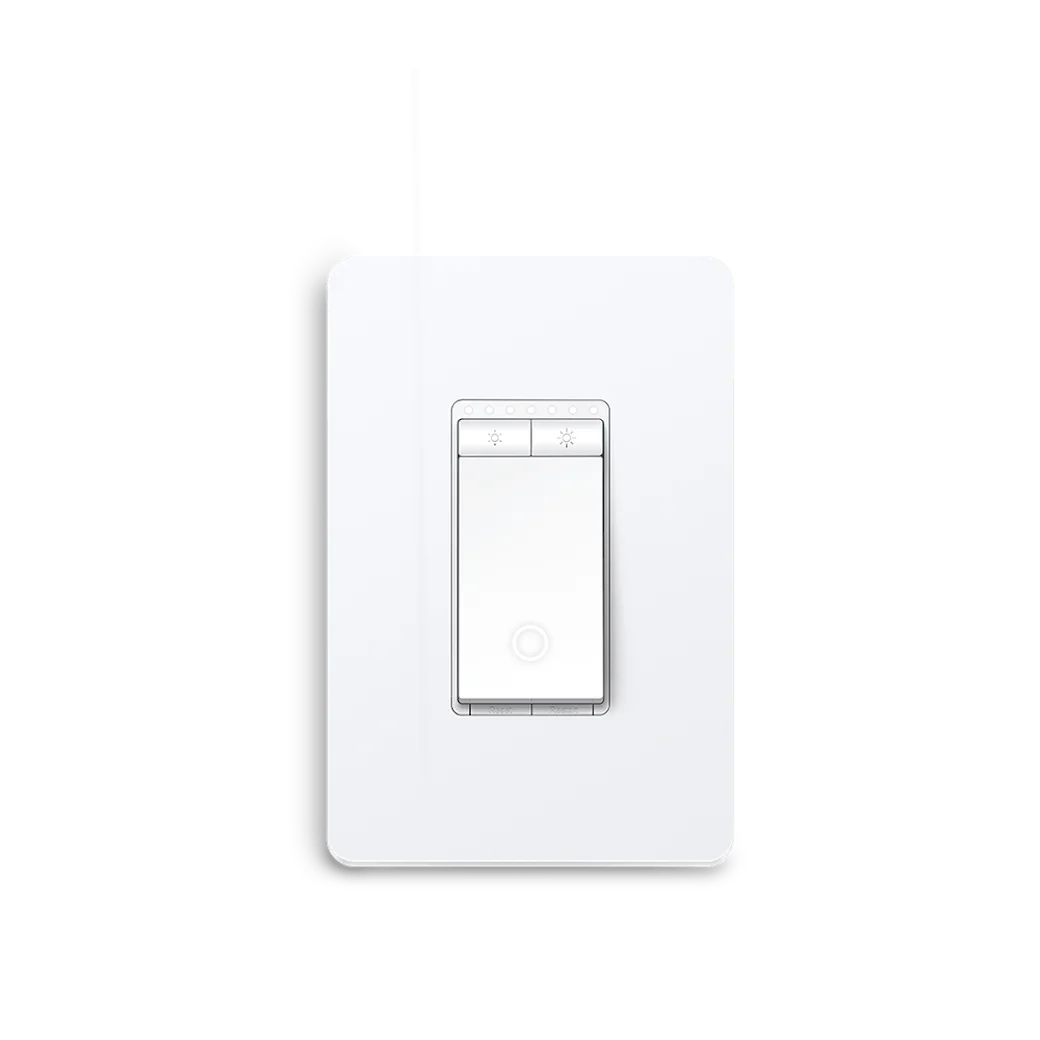
The Kasa KS220P3 is an in-wall smart dimmer switch, sold in a set of three, built to replace an existing dimmer or single-pole light switch. Unlike smart bulbs or plug-in modules, it hardwires directly into the wall and controls the fixture itself, not just a single lamp. That means whatever's already on the circuit — overhead lights, a chandelier, recessed cans — gets smart dimming without swapping out a single bulb.
The headline feature is native Apple HomeKit support: it pairs directly into the Apple Home app without a separate Kasa hub or third-party bridge. Control it from iPhone, iPad, Apple Watch, or Siri, and it shows up alongside your other HomeKit accessories for scenes and automations.
Who It's For
This is a strong fit for:
- Apple Home households who want their switches living in the same app as the rest of their smart home gear, instead of juggling a separate Kasa app.
- Anyone upgrading multiple rooms at once, since a 3-pack is usually more cost-effective than buying switches individually, and most upgrades need more than one anyway.
- People comfortable with basic wiring, since this is a hardwired install, not plug-and-play. If you're not confident working near your electrical panel, hire an electrician rather than treat this as a weekend project.
It's a weaker fit if you're renting and can't modify wall switches, or if your household runs on Google Home or Alexa — this switch's entire value proposition is Apple-native integration.
Key Features & Specs
- Native Apple HomeKit compatibility — no separate hub or bridge required
- In-wall dimmer switch replacing standard single-pole switches
- Siri voice control and full Apple Home automation/scene support
- 3-pack format, enough to outfit a few rooms in one purchase
- Physical switch operation still works normally, so anyone in the house can use it without a phone
- Falls around $60 for three switches — about $20 per switch, in line with what a single smart dimmer often costs on its own, and squarely in everyday smart-home budget territory rather than premium
Also on the bench
Worth comparing against:
- Does Aqara P1 Need a Hub? Yes — With One Caveat Worth Knowing
- Wyze Cam without Subscription — What Actually Works
- Kasa HS220 Neutral Wire Required? Yes — With One Caveat Worth Knowing
- Wyze Cam v3 vs v4 — Every Spec Difference That Actually Matters
- Kasa HS220 vs KS220 — Every Spec Difference That Actually Matters