Does Aqara P1 Need a Hub? Yes — With One Caveat Worth Knowing
As an Amazon Associate we earn from qualifying purchases made through links on this page — it doesn't affect what we recommend, or why. How this works
Short answer
Yes
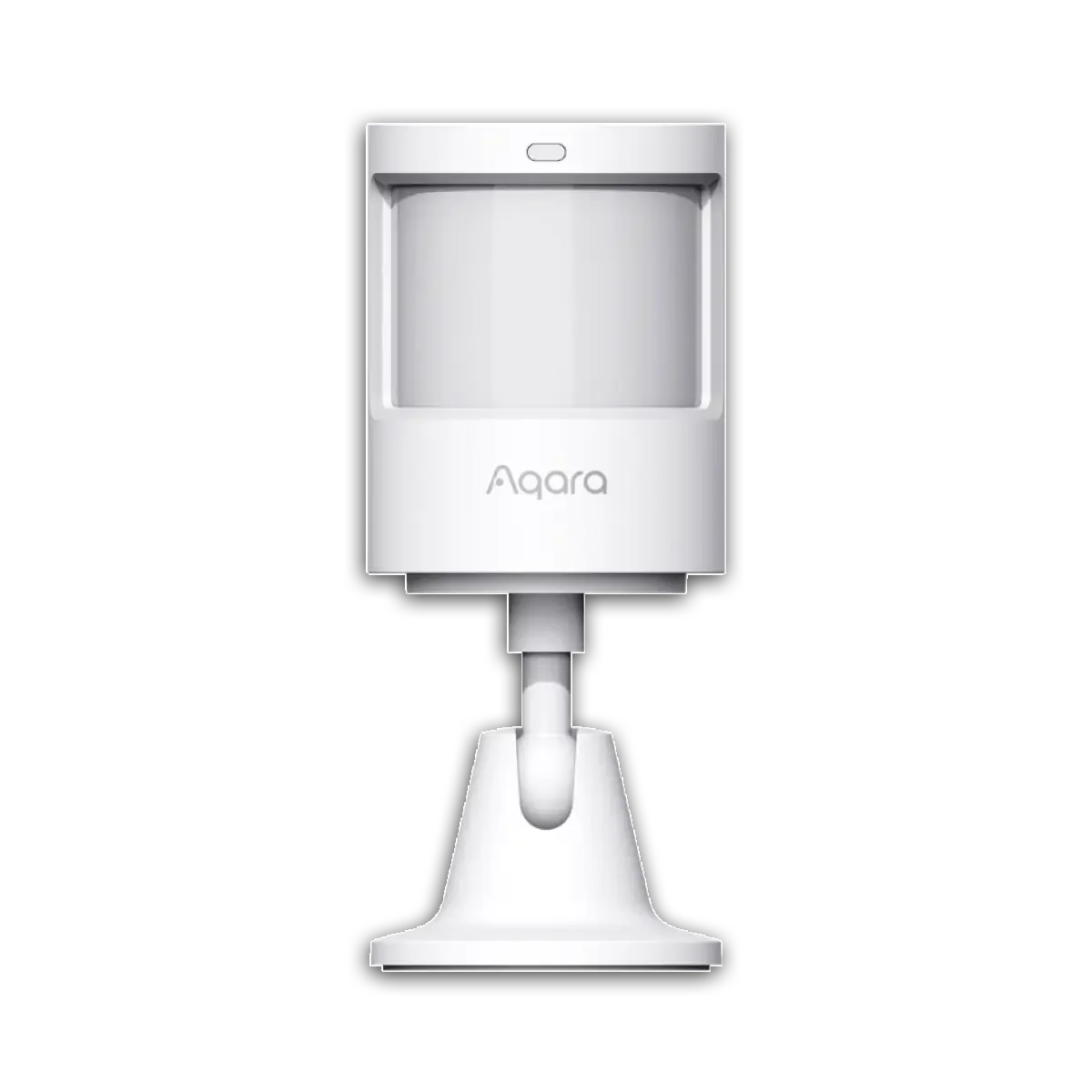
Yes - the Aqara Motion Sensor P1 communicates over Zigbee, not Wi-Fi, so it cannot connect to your phone or router on its own and requires an Aqara (or other Zigbee) hub to function.
The Aqara Motion Sensor P1 is built on the Zigbee 3.0 protocol, which Aqara confirms on its own product and support pages. Zigbee devices do not join your home Wi-Fi network directly - they need a coordinator device, commonly called a hub or bridge, that translates Zigbee radio signals into something your router and the Aqara Home app can read.
This is true of every sensor in Aqara's Zigbee lineup, not just the P1. Without a hub present, the sensor will not appear in the Aqara Home app, will not send motion alerts, and cannot be added to any automation. The battery and the sensor itself work fine in isolation, but there is no path for that data to reach your phone unless a Zigbee coordinator is relaying it.
Aqara does sell its own hubs (the Hub M2, Hub E1, and camera hubs like the G3 or G2H) that double as the required Zigbee coordinator, and the Motion Sensor P1 is listed as compatible with those on Aqara's support site. A non-Aqara Zigbee coordinator, such as a Home Assistant setup running a Zigbee USB dongle, can also work with the P1 since it follows the open Zigbee 3.0 standard, though Aqara only officially documents and supports its own hub lineup.
What to do instead
Pair the Aqara Motion Sensor P1 with an Aqara-brand hub (such as an Aqara Hub M2, Hub E1, or one of Aqara's camera hubs) - these act as the Zigbee coordinator the sensor needs and are the configurations Aqara documents and supports. A general-purpose Zigbee coordinator used with a platform like Home Assistant can also work since the P1 follows the open Zigbee 3.0 standard, but that path isn't officially supported by Aqara and requires more manual setup. Whatever you choose, do not expect a Wi-Fi-only or IR-based smart home hub to bridge it - those don't speak Zigbee and won't see the sensor at all.
Why the P1 can't connect on its own
The Aqara Motion Sensor P1 runs on Zigbee 3.0, a low-power mesh radio protocol maintained by the Connectivity Standards Alliance. Zigbee was designed for exactly this kind of small, battery-powered sensor - it sips very little power compared to Wi-Fi, which is why Aqara's sensors can run for a year or more on a single coin-cell battery. The tradeoff is that Zigbee radios can't talk to your router or phone directly. They need a coordinator device sitting in between, translating Zigbee packets into something your home network and the Aqara Home app understand. That coordinator is what everyone calls a 'hub' in the smart home world, and the Motion Sensor P1 will not function as a smart device without one.
If you unbox a Motion Sensor P1 and try to add it straight to the Aqara Home app with no hub on your network, the app's device-scan will simply never find it. There's no firmware update or workaround that changes this - it's a hardware limitation of the Zigbee radio inside the sensor, documented on Aqara's own product and support pages.
How to check what you already have
Before buying anything, check whether you already own an Aqara hub. Open the Aqara Home app and look at the home screen - any previously added Aqara Hub M2, Hub E1, Camera Hub G2H/G3, or similar device will be listed there as a hub tile, usually with its own settings page showing Zigbee sub-devices underneath it. If you see one of these already set up, you don't need to buy anything extra - just add the Motion Sensor P1 through that existing hub's 'Add Device' flow in the app.
If you don't own an Aqara hub but do run a smart home platform like Home Assistant with a Zigbee USB coordinator (such as a Sonoff Zigbee dongle or similar), that will also work with the P1 since it follows the standard Zigbee 3.0 specification rather than a proprietary Aqara-only protocol. This path gives you more flexibility for complex automations but means losing some Aqara Home app conveniences, and Aqara does not officially document or support third-party coordinators - you're relying on the open standard working as intended.
What to buy if you have neither
If you have no Zigbee coordinator of any kind, you need to add one before the Motion Sensor P1 does anything useful. Aqara's own hub lineup - devices like the Hub M2, Hub E1, or one of its camera hubs with Zigbee built in - is the officially supported route, since Aqara tests and documents compatibility between its sensors and its own hubs specifically.
One important caution: not every device marketed as a 'smart home hub' includes a Zigbee radio. Some hubs on the market are built purely around infrared (IR) blasting for controlling TVs, air conditioners, and other IR-remote devices, or around Wi-Fi/Bluetooth bridging for a specific brand's own products. An IR-only hub has no Zigbee radio inside it at all, so it cannot act as a coordinator for the Motion Sensor P1 no matter how the listing describes it as a 'smart home hub.' If you're shopping and unsure, check the product's own spec sheet for an explicit mention of a Zigbee radio or Zigbee protocol support - if the listing only talks about IR control or app-based Wi-Fi switches, it will not work here.
Setting it up once you have a hub
The order of operations matters. First, get your Zigbee hub (Aqara or compatible) fully set up and online in its own app, connected to your Wi-Fi network. Second, open the hub's 'Add Device' or '+' menu and select the sensor category, or let it auto-scan for nearby Zigbee devices. Third, put the Motion Sensor P1 into pairing mode - Aqara's documentation describes holding or pressing the small reset button on the sensor until its LED blinks, signaling it's broadcasting a join request. Fourth, confirm the pairing in the app once the hub detects it, then give it a room name and location.
A common mistake is trying to pair the sensor from too far away from the hub during initial setup - do the pairing step within a few meters of the hub, then relocate the sensor to its final spot afterward. Zigbee's mesh networking means range generally improves over time as you add more mains-powered Zigbee devices that act as repeaters, but the very first pairing handshake is more reliable at close range.
Also on the bench
If you're weighing alternatives:
- Wyze Cam without Subscription — What Actually Works
- Kasa HS220 Neutral Wire Required? Yes — With One Caveat Worth Knowing
- Wyze Cam v3 vs v4 — Every Spec Difference That Actually Matters
- Kasa HS220 vs KS220 — Every Spec Difference That Actually Matters
- Does Echo Show 5 Have Zigbee? No — Here's What You Need Instead
Common questions
Does the Motion Sensor P1 work with Apple HomeKit or Google Home directly? No - since it needs a Zigbee hub as an intermediary, whether it shows up in HomeKit or Google Home depends on that hub's own integration support, not the sensor itself. Check the specific hub model's documentation for which smart home platforms it bridges to.
Can I use a hub from a different smart home brand? Only if that hub has a genuine Zigbee 3.0 radio and is set up as an open Zigbee coordinator (as with Home Assistant setups). A hub that uses its own proprietary RF protocol, or one that's purely Wi-Fi/IR-based, will not see the Aqara Motion Sensor P1.
Will the sensor still work if the hub goes offline or loses internet? Local automations that don't depend on cloud services may continue working on some hubs, but remote notifications to your phone and any cloud-based automation will stop until the hub's internet connection is restored. This depends on the specific hub's architecture, so check that hub's own documentation.
Is there a Wi-Fi version of this sensor that skips the hub requirement? Aqara's Motion Sensor P1 as listed is a Zigbee device; if a hub-free setup is a hard requirement, you'd need to look specifically for a sensor advertised with native Wi-Fi connectivity rather than Zigbee, since the two use different radios and are not interchangeable without a coordinator.