Logitech Pebble Mouse 2 M350s: A Tiny, Quiet Mouse for a Tidier Desk
As an Amazon Associate we earn from qualifying purchases made through links on this page — it doesn't affect what we recommend, or why. How this works
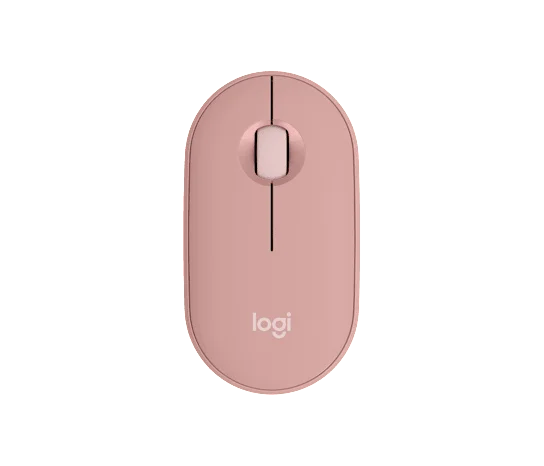
The Logitech Pebble Mouse 2 M350s isn't trying to be a do-everything mouse — that's the point. For under $25, it's a quiet, compact, no-fuss wireless mouse that earns an easy recommendation for anyone who values a tidy setup and comfortable everyday clicking over extra buttons or gaming-grade tracking. Skip it if you need programmable controls or serious ergonomic support. Otherwise, it's a sensible, low-risk pickup for a laptop bag, a home office, or any shared space where quiet actually matters.
If that sounds like what your desk is missing, you can check current pricing and availability here: View it on Amazon
Pros
- Genuinely quiet operation — a small but noticeable quality-of-life upgrade
- Small footprint, easy to toss in a bag
- Clean, understated design that doesn't scream "gaming peripheral"
- Priced at the accessible end of the desk-accessory range, making it an easy add-on rather than a big commitment
Cons
- No extra programmable buttons or DPI switching for power users
- Flat, low-profile shape isn't built for long ergonomic support sessions
- Connectivity method isn't one-size-fits-all across bundles, so it's worth confirming what you're actually getting
- Not a fit for gaming or precision creative work
Cluttered desk. Cables everywhere. And a mouse that clacks like a stapler every time you click. If that's your setup, the Logitech Pebble Mouse 2 M350s is worth a look — a mouse built for people who want a clean, minimal setup, not one loaded with gaming buttons and RGB lighting.
What It Is
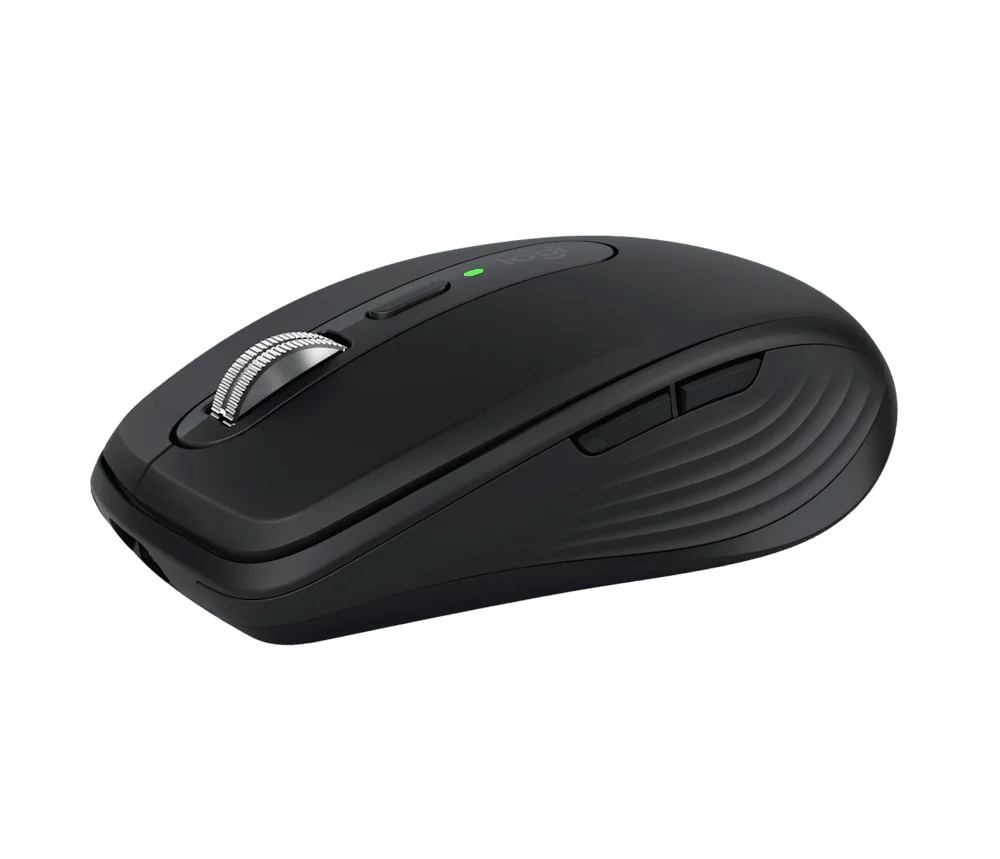
The Pebble Mouse 2 M350s is Logitech's compact wireless mouse, built around a low-profile, rounded shape (hence "Pebble") meant to sit next to a laptop or slim keyboard rather than a full gaming rig. It connects wirelessly — typically via USB receiver or Bluetooth, depending on the bundle — and trades mechanical click noise for quiet buttons. At just under $25, it lands squarely in everyday desk-accessory territory: not throwaway-cheap, not a premium ergonomic tool.
Who It's For
This mouse makes the most sense for:
- Laptop users who want a proper mouse for the couch, a coffee shop, or a home office without adding bulk to a bag.
- Quiet-office workers — students in shared spaces, people in open-plan offices, or anyone sharing a room with someone sleeping nearby.
- Minimalists who care as much about how a mouse looks on the desk as how it functions.
- Casual users doing browsing, docs, spreadsheets, and everyday computer work — not competitive gaming or heavy design/CAD work.
If you need programmable side buttons, on-the-fly DPI switching, or a shape built for hours of ergonomic support, look elsewhere. This one's built for simplicity.
Key Features & Specs
- Compact, curved "pebble" shape — designed to be portable and unobtrusive rather than performance-oriented.
- Quiet clicks — Logitech's silent-click design cuts down on the sharp clack of a standard mouse, which matters more than people expect once they've used one.
- Wireless connectivity — works untethered, freeing up a USB port's worth of desk clutter (exact connection method — receiver vs. Bluetooth — can vary by bundle, so it's worth double-checking the listing).
- Long battery life expectations — Logitech's low-power mice in this line are generally built to run for a long stretch on a single battery, which fits the "set it and forget it" use case.
- Ambidextrous-friendly, simple layout — left/right click and a scroll wheel, no extra buttons to learn or accidentally trigger.
Also on the bench
Others in this category:
- Elgato Key Light — Who It's For, and Who Should Skip It
- Laptop Stand for Desk — What Actually Works
- Elgato Facecam Neo — A Solid 1080p Webcam Without the Frills
- NIIMBOT D110 Bluetooth Label Maker — A Tiny Printer That Might Actually Fix Your Clutter Problem
- Keychron C3 Pro TKL Mechanical Keyboard — A Budget Mechanical That Doesn't Feel Budget