Laptop Stand for Desk: What Actually Works
As an Amazon Associate we earn from qualifying purchases made through links on this page — it doesn't affect what we score, or how. How this works
The problem
Your laptop sits flat on the desk, so you end up hunched over, looking down at the screen, and your neck and shoulders ache by the end of the day - and on video calls the built-in webcam is pointed up your nose instead of at your face.
What’s actually going on
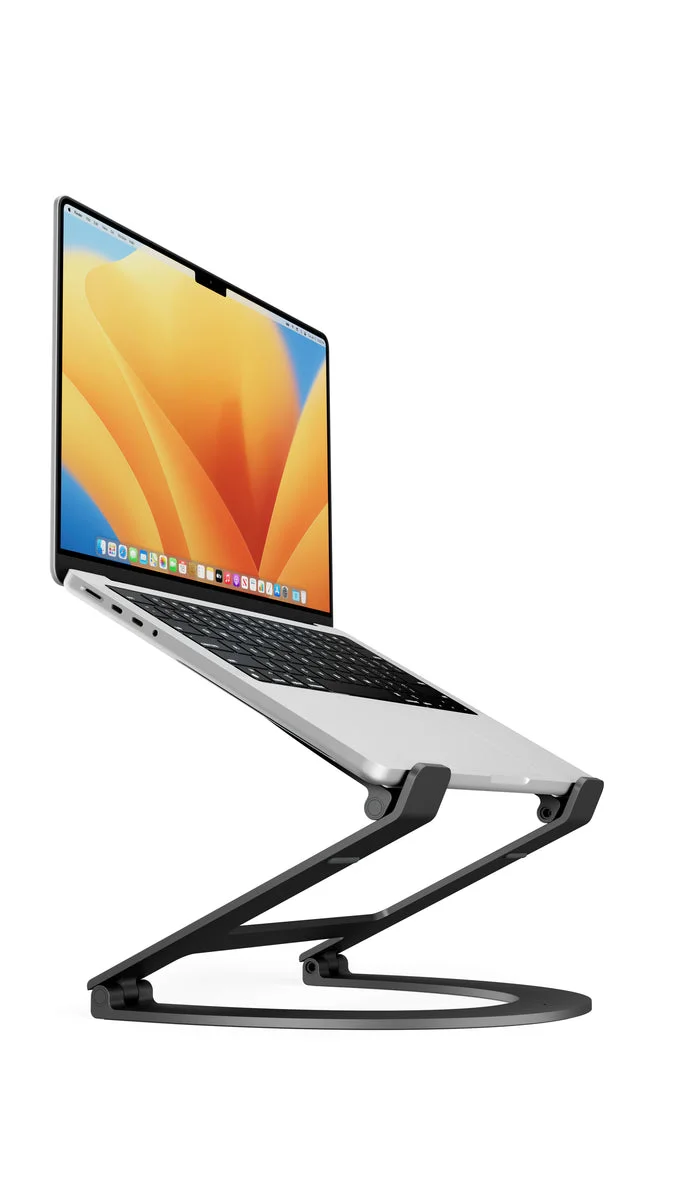
The root issue is screen height, not the laptop itself. Raising a laptop's screen to eye level means lifting it well above the desktop, and Twelve South's own numbers show how much lift that actually takes: when a Curve Flex stand is fully deployed, the stand itself is 11 inches tall, and a MacBook placed on top of that puts the webcam at about 19 inches off the desk for a MacBook Air, about 20 inches for a 14-inch MacBook Pro, and about 22 inches for a 16-inch MacBook Pro (twelvesouth.com). That stand can also be adjusted down from its maximum height to whatever position is most comfortable (twelvesouth.com), which is the real fix for the hunched-over posture: dialing in height, not just adding any lift at all.
The fix
The fix is mechanical: raise the laptop's screen until the webcam and the top third of the display sit closer to eye level, then decide separately whether you're typing on the laptop's own keyboard or on an external one. A stand that adjusts through a range of heights, rather than locking you into one fixed position, is what lets you serve both a low typing posture and a higher eye-level position for calls.
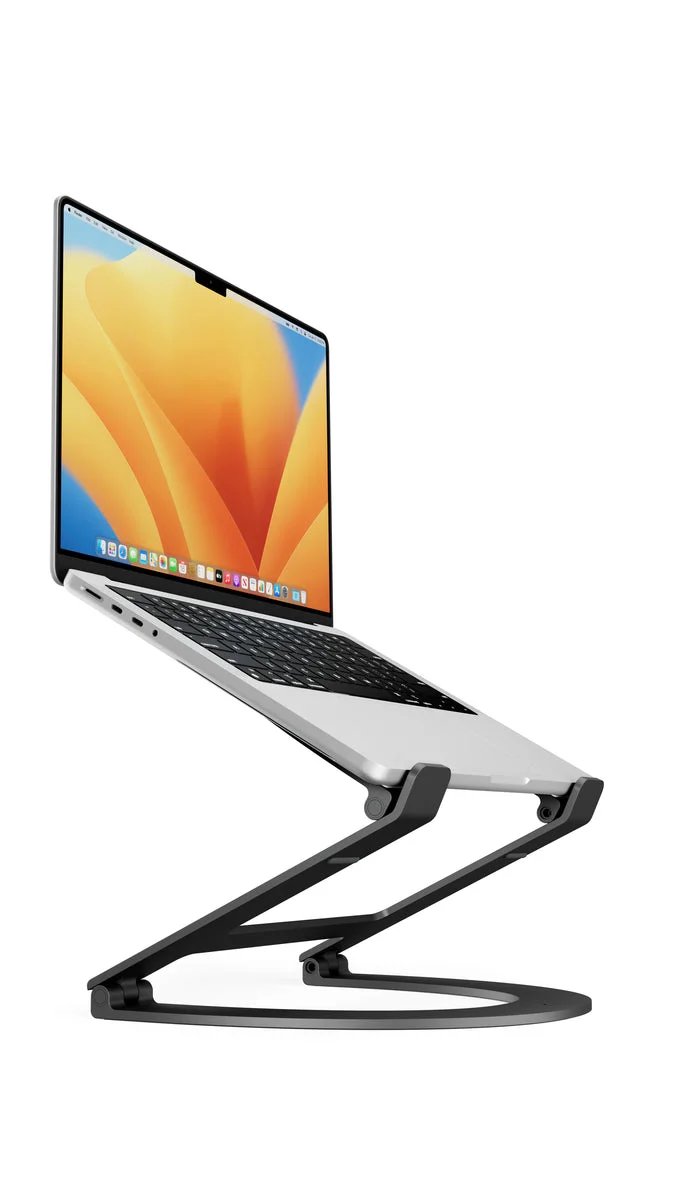
Twelve South's Curve Flex is built around exactly this kind of range. It can sit low as a desktop wedge for typing on the MacBook's own keyboard, or it can be flexed up so a MacBook's screen and webcam reach the heights above - up to 22 inches for a 16-inch MacBook Pro - for eye-level video calls, or so the laptop screen lines up with an external display such as a 27-inch Apple Studio Display (twelvesouth.com). If the hinges ever loosen with use, Twelve South's support documentation explains that each of the four joints has an internal tension screw, adjustable with the included Allen wrench, to restore the original firmness (support.twelvesouth.com).
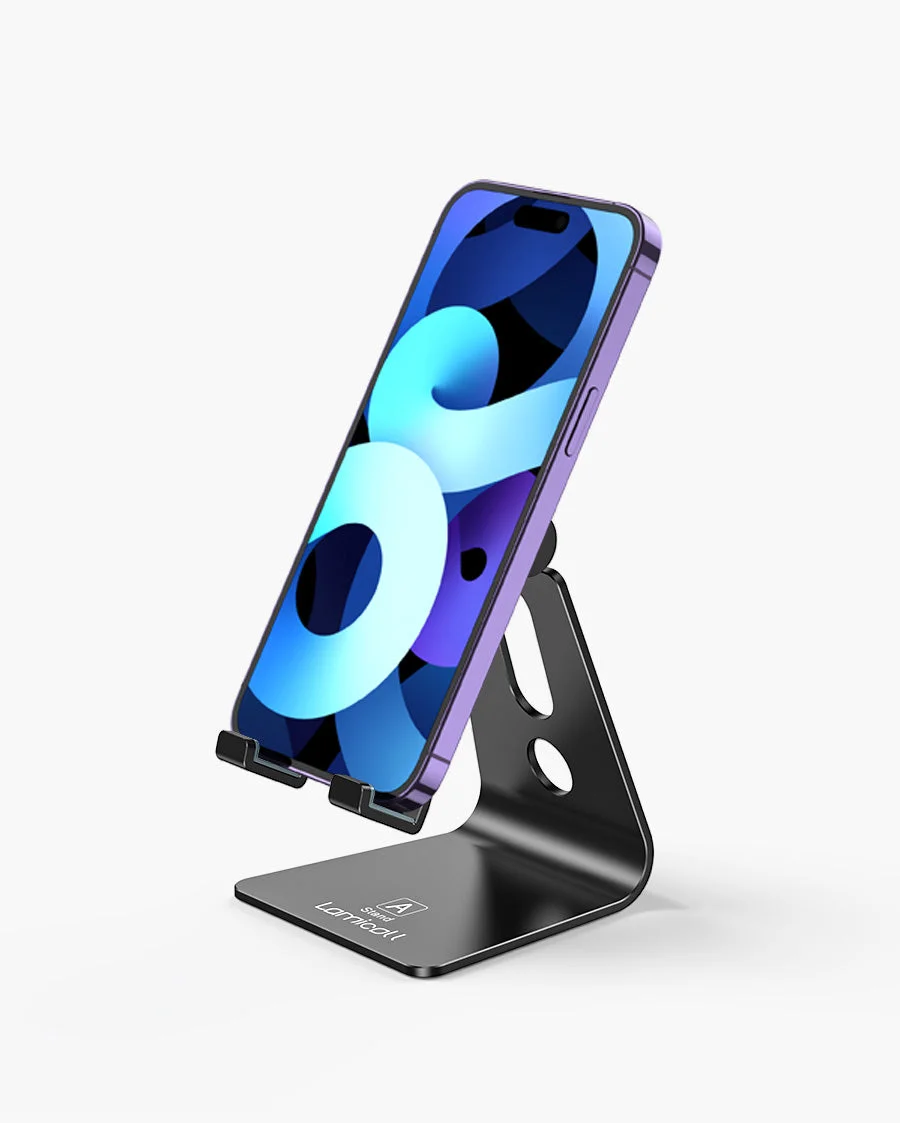
If the real complaint is a phone sitting too low on the desk rather than the laptop itself, that's a separate, smaller fix: the Lamicall Adjustable Desk Phone Stand is built as a desktop phone dock with rubber cushions to keep a phone from sliding, and it accepts phones with a hook width of 14mm and up to 14mm thick, with a landscape mode available for larger phones (lamicallshop.com). It is not built to hold or raise a laptop, so it doesn't address laptop screen height.
What we’d use
Why a flat laptop causes neck and shoulder strain
A laptop's screen and webcam sit at a fixed height relative to its keyboard, so when the whole unit rests directly on a desk, the screen ends up far below eye level for anyone sitting upright in a normal chair. Twelve South's own measurements show how much lift is needed to correct this: when a Curve Flex stand is fully deployed to its maximum 11-inch height, a MacBook placed on top has its webcam sitting at about 19 inches off the desk for a MacBook Air, about 20 inches for a 14-inch MacBook Pro, and about 22 inches for a 16-inch MacBook Pro (twelvesouth.com). Those numbers describe the laptop raised to eye level on a stand, which is the point - without that kind of lift, the screen and camera stay much lower, which is why working on a laptop all day tends to pull the head and neck forward and down.
The practical fix for that is raising the screen, not replacing the laptop. Once the screen and webcam are closer to eye level, the next decision is whether you'll type on the laptop's own keyboard (which argues for a lower, wedge-style lift) or an external keyboard and mouse once the laptop is raised higher for calls or to match an external monitor.
What actually solves this: a stand built for the job
The Twelve South Curve Flex is designed around exactly this problem for MacBook owners. It can sit low as a desktop wedge that keeps the keyboard reachable and only tilts the screen slightly, or it can be flexed up to raise the screen and webcam toward eye level for video calls, or to align the laptop screen with an external display such as a 27-inch Apple Studio Display (twelvesouth.com). That flexibility - low for typing, tall for calls or monitor alignment - is the reason a dedicated stand works where stacking books under a laptop does not: the height is adjustable rather than fixed.
It's also built to fold flat and travel, which matters if the laptop moves between a desk, a coffee table, and a bag during the week. Twelve South includes a padded neoprene travel sleeve with Curve Flex, with the hex hinge tool stored inside the sleeve for on-the-go adjustments, and the whole unit weighs about 28 ounces (twelvesouth.com). The stand is also offered in two finishes, Matte Black or White, so it can be matched to a desk setup rather than standing out (twelvesouth.com).
Setting it up in the right order
Start by deciding what you're correcting for: typing posture, video-call eye contact, or lining the laptop screen up with a second monitor. Those three goals want different heights.
- For typing comfort on the laptop's own keyboard, keep Curve Flex low, as a shallow wedge. This tilts the keyboard to a more natural angle without raising the screen far (twelvesouth.com).
- For video calls, extend the stand toward its maximum. Twelve South's figures show a MacBook Air's webcam reaching about 19 inches, a 14-inch MacBook Pro's about 20 inches, and a 16-inch MacBook Pro's about 22 inches when the stand is deployed to its full 11-inch height (twelvesouth.com). The stand can also be set anywhere below that maximum, since it adjusts down to whatever height is most comfortable (twelvesouth.com).
- For matching an external monitor, extend the stand until the laptop screen's top edge is roughly level with the external display - Twelve South specifically calls out alignment with a 27-inch Apple Studio Display as a use case the stand's height range covers (twelvesouth.com).
If, after some use, the stand starts to feel loose or wobbly at the joints, Twelve South's support documentation explains that each of Curve Flex's four hinges has an internal tension screw, accessible with the included Allen wrench, that restores the original firmness (support.twelvesouth.com).
What can go wrong
Curve Flex is built and marketed specifically for MacBook (twelvesouth.com), so the height figures above apply to MacBook models rather than laptops generally. If the hinges feel loose over time rather than at first use, that's the tension screw issue the support article addresses, not a defect requiring replacement (support.twelvesouth.com). And because the stand folds flat with a padded travel sleeve included (twelvesouth.com), it's reasonable to move it between locations rather than treat it as a permanently fixed desk fixture.
What a laptop stand won't fix
It's worth being clear about what a stand like this does and doesn't solve. It changes the height and angle of the laptop screen and webcam - that's it. If the actual complaint is a phone propped awkwardly next to the laptop, that's a different accessory: the Lamicall Adjustable Desk Phone Stand is described as a desktop phone dock with a low center of gravity to hold a phone stably, with rubber cushions to protect against scratches and sliding, built for a hook width of 14mm and phones up to 14mm thick, with a landscape mode for larger phones (lamicallshop.com). It is not built to hold or raise a laptop, so it isn't a substitute for a laptop stand if the laptop screen itself is the problem.
Also on the bench
If you're weighing alternatives:
- Elgato Key Light — Who It's For, and Who Should Skip It
- Elgato Facecam Neo — A Solid 1080p Webcam Without the Frills
- NIIMBOT D110 Bluetooth Label Maker — A Tiny Printer That Might Actually Fix Your Clutter Problem
- Keychron C3 Pro TKL Mechanical Keyboard — A Budget Mechanical That Doesn't Feel Budget
- Lamicall Adjustable Desk Phone Stand — A Simple Fix for a Common Problem
Common questions
Do I need an external keyboard once the laptop is raised? The stand can be set anywhere from a low wedge up to its full 11-inch height, and it's meant to be adjusted down from maximum to whatever position is most comfortable (twelvesouth.com), so the right keyboard setup depends on where you land in that range for your own typing comfort.
Can the stand travel with the laptop? Yes - Curve Flex folds flat and comes with a padded neoprene travel sleeve that also holds the hex hinge tool, and the whole stand weighs about 28 ounces (twelvesouth.com), so it's designed to move between a desk and a bag.
What if the hinges get loose over time? Twelve South's support site documents a fix: each of the four hinges has an internal tension screw you can tighten yourself with the included Allen wrench (support.twelvesouth.com).
Will this also hold my phone steady at the same time? Curve Flex is built and sized for MacBook (twelvesouth.com); for a phone sitting separately on the desk, the Lamicall Adjustable Desk Phone Stand is built around phone dimensions instead, with rubber cushions and a low center of gravity to keep a phone from sliding (lamicallshop.com), so it serves a different purpose than a laptop stand rather than replacing one.